
Bulk WhatsApp Messages: Send 10,000 Safely
How to send bulk WhatsApp messages to 10,000 people without a ban: the official route, Meta's limits, cost per 1,000 in India, and why free senders fail.
Updated October 2026.
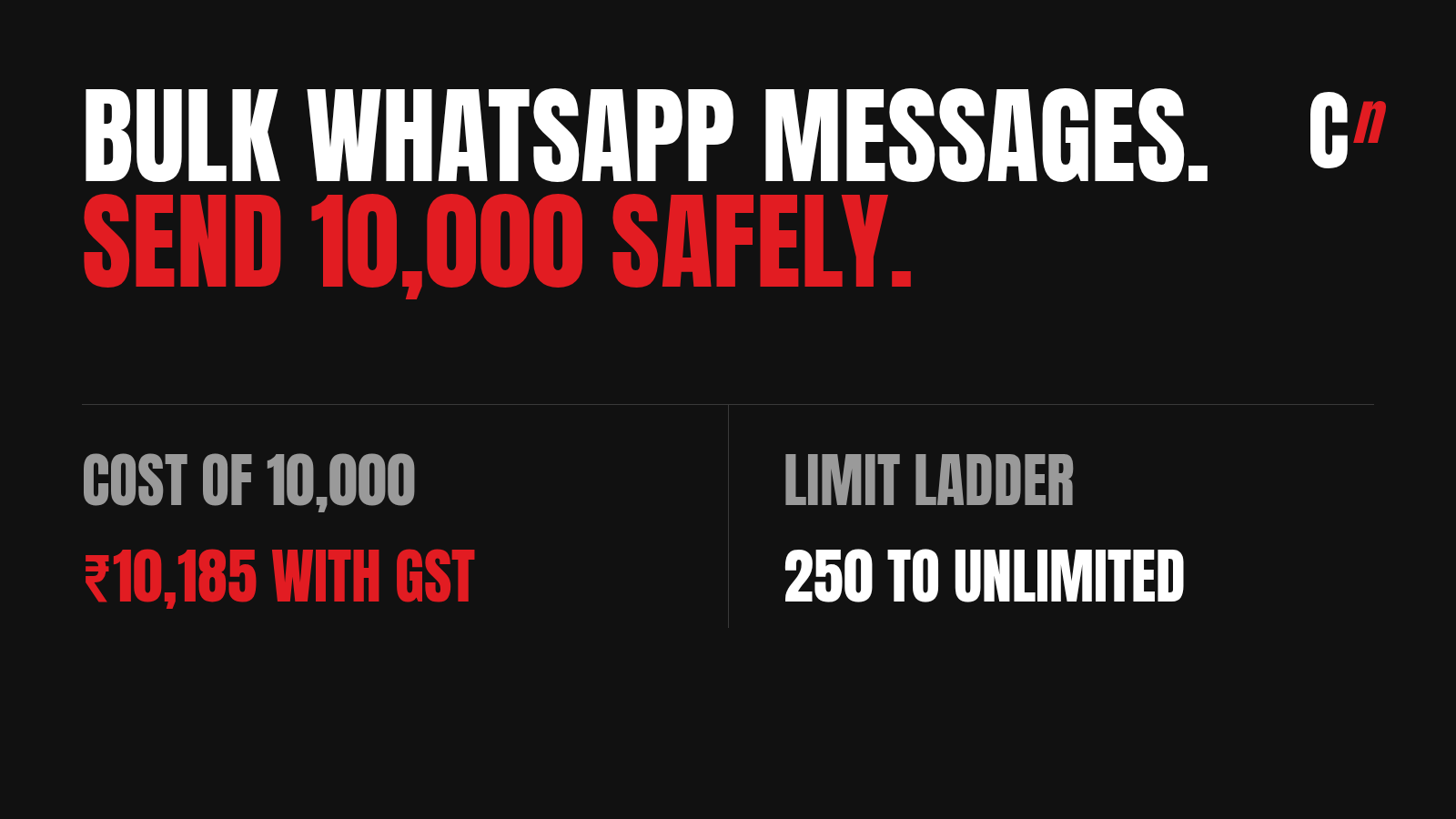
To send bulk WhatsApp messages without losing your number, use the WhatsApp Business Platform (the API), either directly through Meta or through an official provider, and send approved templates only to people who opted in. Most "bulk WhatsApp message senders" automate the normal WhatsApp app instead. WhatsApp's terms ban that, and it is how business numbers get banned. On the official route, 10,000 marketing messages cost about ₹10,185 from Meta in India, GST included, plus whatever your provider adds.
I've run WhatsApp at Healthify, HealthifyStore, Cumin Co and PNG Jewellers, and now for brands at Compound Lab, my retention agency. At Healthify, I regularly sent more than 10 lakh WhatsApp messages a month. I don't sell a sender. What I've learned is that getting bulk messages sent is the easy part. Getting them delivered is where most brands lose money, and none of the sender pages talk about that.
Three ways to send bulk WhatsApp messages
| Item | WhatsApp Business app | Unofficial bulk sender | WhatsApp Business Platform (API) |
|---|---|---|---|
| What it is | Broadcasts from the free app on your phone | A Chrome extension or app that drives your WhatsApp Web | Meta's official system, used directly or through a provider |
| Who it reaches | Classic broadcast lists reach only people who saved your number. Meta's newer business broadcasts reach people who haven't, in select countries | Anyone whose number you paste in | Anyone who opted in to hear from you |
| How many | A few hundred per list | As many as you dare | 250 a day at first, rising to unlimited (see limits) |
| Cost | Classic lists were free. WhatsApp now charges per delivered message for business broadcasts, after a small free allowance in some regions | A subscription for the tool | Per delivered message, from ₹0.115 to ₹0.8631 in India |
| Risk to your number | Low | High. WhatsApp's terms ban it | Low if you follow the rules. The risks are paused templates and send limits, not bans |
| Best for | A small shop messaging regulars | Nothing I'd recommend | Any brand sending to more than a few hundred people |
If you message fewer than a couple of hundred regular customers who have your number saved, the app is enough. Past that, the API is the only route that scales without putting your number at risk.
What sending 10 lakh WhatsApp messages a month taught me
At Healthify, I sent more than 10 lakh WhatsApp messages a month, month after month. Every one went out through the API, from our own backend, not through a sender tool or an engagement platform. At that size, four things decide whether a bulk send works, and none of them is the tool.
- Pacing. You don't send 10 lakh messages in one go. You send them in waves, inside your messaging limit, starting with the people most likely to read them. If the first wave draws blocks, you stop before the rest go out, and your quality rating survives.
- Your own servers. Our tech team asked us to send 10,000 messages every 30 minutes, and to start the next 10,000 only once the last batch had gone through. When we cut server costs, the batch came down to 7,000 and then 5,000. Meta wasn't the bottleneck: its API accepts up to 80 messages a second from each number, and 10,000 in 30 minutes is under 6 a second. Our servers were. Every message you send comes back as status updates (sent, delivered, read), and Meta asks that your servers handle three times your outgoing traffic in those updates, plus every reply. When the servers fall behind, messages fail. So the right batch size depends on your servers, not just on Meta's limits.
- Failures. A share of every send fails, and the reasons differ: numbers not on WhatsApp, people who hit Meta's limit on marketing messages, templates paused for low quality. Each one needs a different fix, so the useful report is failures by error code, not one delivery percentage.
- Frequency. The same person can't get a marketing message every day. At scale, the question isn't "can we send this?" but "who has already heard from us this week?"
Everything in the rest of this guide comes from running sends at that size, and from fixing them at Cumin Co when delivery slid.
Bulk WhatsApp message senders: why the free tools get numbers banned
The free tools that come up for "bulk WhatsApp sender" and "WhatsApp bulk sender free" mostly work the same way. They open WhatsApp Web in your browser and type messages into it, one chat after another, with random pauses so it looks human.
WhatsApp's Terms of Service prohibit exactly this: "bulk messaging, auto-messaging, auto-dialing". The penalty they name is disabling or suspending your account. WhatsApp's messaging guidelines, updated in September 2026, also rule out "unofficial clients".
The "anti-ban" settings these tools sell, like random delays, rotating numbers and daily caps, make the automation harder to spot. They don't make it allowed. One sender's own help page reassures users that most banned accounts are back within a day or two. That tells you how often it happens.
WhatsApp banned 62,02,400 Indian accounts in August 2026 alone, 16,90,800 of them before anyone reported them, according to its India monthly report. The report doesn't split bans by reason, so not all of those are bulk senders. But if your business number is the one people know, it's a bad number to gamble.
There's a second problem: people who never opted in. Messages to people who don't know you get blocked and reported, and on the official platform those blocks lower your quality rating. A list bought or scraped for a free sender carries the same problem into any tool you move to later.
How to send bulk WhatsApp messages, step by step (10,000 and up)
This is the official route, the one I've used at every brand.
- Set up a WhatsApp Business account on the platform. You can connect directly to Meta's Cloud API, which has no access fee, or use a provider (a BSP such as Gupshup, Interakt or AiSensy, or the WhatsApp channel inside a CRM like WebEngage or MoEngage). Providers charge for their software and often add a markup per message. In return you get a dashboard, a team inbox and campaign tools. Use a number that isn't running on the normal WhatsApp app.
- Verify your business. Business verification in Meta's Business Manager lifts your daily limit from 250 to 2,000. It asks for your company documents, so start it on day one.
- Build an opted-in list. Meta's policy lets you message only people who gave you their number and agreed to hear from you, and the opt-in must name your business. Checkout ticks, sign-up forms and click-to-WhatsApp ads all work. A list you bought doesn't.
- Get your templates approved. Every message you start has to be a template Meta has approved. Marketing templates (offers, launches, reminders to buy) cost more than utility templates (order and delivery updates), and one line of selling turns a utility message into marketing. I cover what gets templates rejected in WhatsApp template approval, with ready examples in WhatsApp message templates and promotional WhatsApp messages.
- Climb the limit ladder before the big send. At 2,000 a day, you can't send 10,000 in one go. Send to your most engaged customers first, keep your quality rating high, and Meta lifts you a level once you use half your limit inside seven days. A verified number can usually reach 10,000 within a week or two of steady sending.
- Send in segments, not to everyone. Split the 10,000 by how recently people bought or replied. The newest and most engaged go first. Lapsed customers go last, and only if you have something worth their attention.
- Watch the failures by error code, not just the delivered count. Most bulk sends lose a slice to Meta's per-user marketing limit. That's the delivery section below.
WhatsApp broadcast limit in the Business app
The free WhatsApp Business app was never built for bulk sending, and it's getting stricter:
- Broadcast lists have a contact cap and reach only people who saved your number. WhatsApp explains both in its help page on how to use broadcast lists.
- Business broadcasts are now paid. Meta's newer business broadcasts reach people who haven't saved your number, but WhatsApp's help centre says you pay for each message delivered. Some regions get a small free monthly allowance first, and WhatsApp hasn't published one figure for every country.
So the answer to "how do I increase my WhatsApp broadcast limit" is: in the app, mostly by paying for business broadcasts. For thousands of messages a day, move to the API, where the limit ladder below applies.
WhatsApp API messaging limits: 250 to unlimited
On the API, your limit is the number of different people you can start a conversation with in a rolling 24 hours. Replies inside an open conversation don't count. Limits are set for the whole business portfolio, so every number under one business shares the same allowance.
| Limit (unique people per 24 hours) | How you get there |
|---|---|
| 250 | Where every new account starts |
| 2,000 | Verify your business, or send 2,000 delivered messages to unique people within 30 days |
| 10,000 | High quality rating, and use at least half your 2,000 limit within 7 days |
| 100,000 | High quality rating, and use at least half your 10,000 limit within 7 days |
| Unlimited | High quality rating, and use at least half your 100,000 limit within 7 days |
Meta raises a limit within about six hours once you qualify, according to its messaging limits page. Many guides still list a 1,000 tier. It's gone: the step after 250 is now 2,000.
What bulk WhatsApp messages cost in India
Meta charges per delivered message, by category. These are Meta's India rates from 1 October 2026, before GST and before any provider markup:
| Category | Used for | Per message | Per 1,000 | Per 10,000 | Per 10,000 with 18% GST |
|---|---|---|---|---|---|
| Marketing | Offers, launches, festive messages, win-back | ₹0.8631 | ₹863 | ₹8,631 | ₹10,185 |
| Utility | Order, payment and delivery updates | ₹0.115 | ₹115 | ₹1,150 | ₹1,357 |
| Authentication | One-time passwords | ₹0.115 | ₹115 | ₹1,150 | ₹1,357 |
Two things change the real bill:
- Your provider's markup. Rates quoted by Indian providers for marketing messages run from about ₹0.86 to ₹1.09 each. Ask for Meta's rate and their markup as separate lines.
- Replies now cost money too. From 1 October 2026, Meta charges for replies inside the 24-hour customer service window, which had been free since November 2024 (Meta's pricing note). A bulk send that gets a lot of replies costs more than the send itself suggests.
To work out a full month, with your own mix of marketing and utility messages, use the WhatsApp pricing calculator. The full breakdown, with how the rates changed, is in WhatsApp API pricing in India.
Why bulk WhatsApp messages don't arrive: error 131049
This is the part sender pages leave out. Meta limits how many marketing messages each person receives from all businesses combined, based on how they've engaged with past ones. When someone has had enough, your message fails with error 131049, even though they opted in and your template is approved. Meta's advice is to wait at least 24 hours before trying them again.
At Cumin Co, our delivery slid a couple of points a month until I grouped the failures by error code and found 131049 behind most of them. We cut marketing messages from three or four a week to two, kept three quiet days between them, sent the most engaged customers first, and re-sent failed segments by hand the next day. Delivery went from 23% to 44% in a month (case study). That figure blends marketing and utility messages, so report the two separately in your own numbers.
The lesson for bulk sends: 10,000 messages sent is not 10,000 delivered. If you send marketing messages every day to everyone, more of them fail each week. The fixes are in WhatsApp error 131049 and why your WhatsApp delivery rate is dropping.
Ban, low quality and paused templates: what actually happens on the API
On the official platform, Meta doesn't ban a number for sending in bulk. It watches how people react, and acts in steps:
- Quality rating. Every number has a rating (high, medium or low) based on blocks and reports in the last seven days. A low rating stops your limit from rising.
- Paused templates. A template that collects too many blocks gets paused for a few hours, then for longer, and is disabled if it keeps happening.
- Per-user limits. As above, messages to people who've had enough simply don't arrive.
An account can still be restricted for breaking the policy, for example by messaging people who never opted in. But the steps above warn you first. The unofficial senders skip all of that and go straight to the ban.
Which route to use at which size
| You're sending to | Use | Why |
|---|---|---|
| Under about 200 regular customers who have your number saved | WhatsApp Business app broadcasts | Free, personal, and enough at this size |
| 250 to 2,000 people a day | The API through a provider with a simple dashboard | You need templates and opt-in records, not engineering |
| 10,000 and more | The API, with a CRM or a provider that segments and retries | At this size, delivery and frequency rules matter more than the tool |
| Any size, sending to a bought list | Don't | It costs you your quality rating, and in the app, your number |
What other bulk WhatsApp guides get wrong
| Many guides say | What's true in October 2026 |
|---|---|
| "Send unlimited messages" | New accounts start at 250 people a day. Unlimited is the top of a ladder you climb |
| "No ban risk" with a sender tool | WhatsApp's terms ban bulk and automated messaging from the app |
| The tier after 250 is 1,000 | It's 2,000 |
| Per-message pricing starts in 2026 | Meta moved to per-message pricing on 1 July 2025 |
| Replies inside 24 hours are free | Meta charges for them from 1 October 2026 |
| Use the official API and every message arrives | Per-user marketing limits block some messages to opted-in people (error 131049) |
Sources: WhatsApp Terms of Service and messaging guidelines; Meta's messaging limits, pricing and per-user marketing limits pages, checked 16 October 2026.
FAQ
How can I send 1,000 messages on WhatsApp? Use the WhatsApp Business Platform through Meta or an official provider, verify your business so your limit rises to 2,000 a day, and send an approved template to people who opted in. In India, 1,000 marketing messages cost about ₹863 from Meta before GST.
How do I send 10,000 messages on WhatsApp? On the official API, after your limit reaches 10,000. Verify your business to reach 2,000, keep your quality rating high, and use at least half your limit within seven days to move up. Send to your most engaged customers first.
Can I send bulk messages through WhatsApp for free? Only small ones. The WhatsApp Business app's broadcast lists reach only people who saved your number, and WhatsApp now charges for business broadcasts beyond a small allowance in some regions. Free bulk sender tools break WhatsApp's terms and risk your number. On the official platform you pay per delivered message.
How do I send 500 messages at once on WhatsApp? Use the API once your limit is above 500, which takes business verification. On the Business app, split them across broadcast lists, and remember only people who saved your number receive them.
Can I send bulk WhatsApp messages without saving numbers? Yes, on the WhatsApp Business Platform, as long as the people opted in. Classic broadcast lists in the app need them to have saved your number. Meta's newer business broadcasts in the app don't, but they're only open to eligible businesses in some countries.
Is a bulk WhatsApp sender legal? Tools that automate the normal WhatsApp app break WhatsApp's terms, which prohibit bulk and automated messaging. WhatsApp can suspend or disable the number. Sending through the official Business Platform to opted-in people is allowed.
How do I increase my WhatsApp broadcast limit? In the WhatsApp Business app, mainly by paying for business broadcasts once your free allowance runs out. For more than a few hundred people a day, use the WhatsApp Business Platform, where verifying your business lifts the limit to 2,000 a day and steady, high-quality sending takes it to 10,000, 100,000 and then unlimited.
Which WhatsApp is best for sending bulk messages? The WhatsApp Business Platform (the API), used directly or through an official provider. The normal app and the Business app are built for one-to-one chats, and tools that automate them break WhatsApp's terms.
Can I send bulk WhatsApp messages from my mobile? Small broadcasts, yes, from the WhatsApp Business app. For thousands of messages, providers on the official platform have mobile apps and web dashboards, so you can still send from your phone without risking your number.
How many WhatsApp messages can I send per second? Meta's Cloud API accepts up to 80 messages a second from each business number, and moves very large senders to 1,000 a second automatically. Go faster and the API returns error 130429. In practice your own servers usually set a lower pace, because each message sends back delivery and read updates they have to process.
How much does it cost to send 1,000 WhatsApp messages in India? From Meta, ₹863 for marketing messages and ₹115 for utility messages, before 18% GST and any provider markup, at the rates effective 1 October 2026.
Will my WhatsApp number be banned for sending bulk messages? On the normal app or a sender tool, it can be. On the official platform, Meta lowers your quality rating, pauses templates or holds your limit before it restricts an account, and it acts mainly on blocks, reports and missing opt-in.
Where I fit
I'm Raviraj, founder of Compound Lab, a retention agency for D2C brands and consumer apps. Bulk WhatsApp is most of what brands ask us about first. The answer is rarely a bigger send: it's fewer messages, sent to the right people, with the failures fixed. If your WhatsApp sends are growing and your orders from them aren't, book a consultation or see how we run WhatsApp marketing for brands.
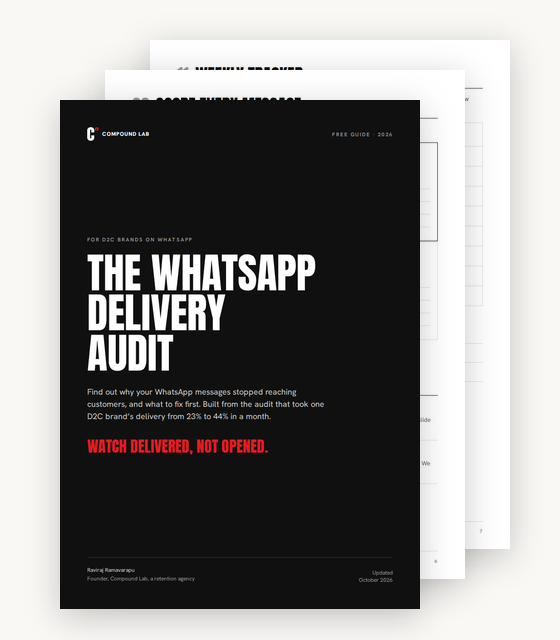
Free audit
Watch delivered, not opened.
The WhatsApp delivery audit. The checks I ran at Cumin Co, from reading error codes to frequency, replies and retries, in one PDF.
- How to read 131049 and five other failure codes
- Checks on trust, replies, frequency, journeys and retries
- A grid to score every message, and an 8-week tracker
Sent. Check your inbox.
The audit is on its way to .