Liquid Personalization: CRM Tags and Fallbacks
Liquid personalization for CRM marketers: tags in Braze, CleverTap, MoEngage Jinja, Klaviyo and WebEngage, with fallbacks, clean data and WhatsApp variables.
Updated October 2026.
Liquid personalization is the placeholder code that pulls a customer's name, city or last product into a message, written in tags like {{ first_name }}. Braze and CleverTap use Liquid, MoEngage uses Jinja, Klaviyo uses Django-style tags and WebEngage uses its own tokens. Every tool lets you set a fallback for missing data, and most let you cancel the send instead.
I've written these tags on CleverTap at Healthify and MyGate, on WebEngage at PNG Jewellers and on MoEngage at Cumin Co. Healthify is where I used them most. We personalised messages by a person's BMI, their health condition and how much weight they wanted to lose, not just their name. This page covers the syntax in each tool, and the rules I'd hand anyone before they touch a live send.
What Liquid personalization is
A personalisation tag is a gap in your message that the platform fills in for each person at send time. You write "Hi {{ first_name }}" once, and Riya gets "Hi Riya" while Arjun gets "Hi Arjun".
Each tool's syntax is a templating language. They look alike because they share an idea. Double curly braces print a value, and curly brace plus percent sign runs logic, such as an if/else.
- Output tags.
{{ ... }}prints a value into the message. - Logic tags.
{% if %},{% else %}and{% endif %}show different text to different people. - Filters. A pipe
|changes the value, anddefaultis the filter you will use most.
If terms like user attribute and event are new, my CRM marketing glossary defines them, and the bigger picture sits in what is CRM marketing.
What you can personalise beyond the first name
The first name is the smallest thing a tag can do. At Healthify we used three kinds of data, and each one reaches the message in a different way.
- User attributes. Facts stored on the profile. For us that meant BMI, health condition and target weight loss, so a message could speak to a person's own goal instead of a generic one.
- Event data. Details of something the person just did, such as the product they added to cart or the plan they viewed. These tags read from the event that triggered the message.
- Uploaded custom data. Values you upload against user IDs, for one campaign or for good. Use this when the data lives outside the CRM, such as a recap of a person's year or a score worked out by your data team.
The same tags work inside links. We put personalisation into custom URLs, so when a person tapped through, the page that opened already knew who they were and what they were working towards.

Liquid vs Jinja: what changes for a marketer
Liquid was built by Shopify, and Jinja comes from the Python world. For writing messages, the differences are small, but they break sends if you mix them up. Braze and CleverTap use Liquid, and MoEngage uses Jinja.
| Task | Liquid and Jinja |
|---|---|
| Fallback | Liquid: {{ name | default: 'there' }}Jinja: {{ name|default('there') }} |
| Second condition | Liquid: {% elsif %}Jinja: {% elif %} |
| Stop the send | Braze: {% abort_message() %}CleverTap: {% abort %}MoEngage: {% MOE_NOT_SEND("reason") %} |
Klaviyo sits in between. Its tags look like Liquid, but filters take a colon and single quotes, as in {{ first_name|default:'there' }}.
Personalization tags in each CRM tool
The table below is based on what each vendor publishes in its documentation, as of October 2026.
| Tool | First name with a fallback |
|---|---|
| MoEngage Jinja |
{{UserAttribute['First Name']|default('there')}} |
| Braze Liquid |
{{${first_name} | default: 'there'}} |
| CleverTap Liquid |
{{ Profile.name | default: "there" }} |
| Klaviyo Django-style |
{{ first_name|default:'there' }} |
| WebEngage Own tokens |
{FIRST_NAME} |
Sources: MoEngage Jinja templating, Braze default values, CleverTap Liquid tags, Klaviyo names and fallbacks, WebEngage campaign personalization. Syntax can change, so test in your own account.
You rarely type these by hand. MoEngage and CleverTap insert a tag when you type "@" and pick an attribute, and WebEngage has a personalization icon next to each field. Knowing the raw syntax still matters, because fallbacks and conditions are written in code. If you're comparing the platforms themselves, my CleverTap vs MoEngage vs WebEngage post covers that.

Jinja template MoEngage example
MoEngage calls this the MoEngage Templating Language. User attributes use square brackets with the attribute name in quotes, and the name must match your workspace exactly, capitals included. Here is a fallback, straight from MoEngage's docs.
Welcome, {{UserAttribute['First name']|default('Guest')}}
MoEngage's editor also gives each tag a fallback setting: no fallback, do not send, or replace with text. Be careful with email. MoEngage says an email with an empty personalised value isn't sent unless you set a fallback, and a personalised link has no fallback at all.
For a condition, MoEngage shows an if/elif/else block. A D2C brand could use the same shape for loyalty tiers.
{% if UserAttribute['membership'] == 'Gold' %}
You are a Gold member!
{% elif UserAttribute['membership'] == 'Silver' %}
You are a Silver member!
{% else %}
Please become a member today!
{% endif %}
You can also stop the send from inside a condition and give a reason.
{% if (UserAttribute['brand'] == 'Puma') %}
Brand is Puma!
{% else %}
{% MOE_NOT_SEND("Brand name doesn't exist for user") %}
{% endif %}
Event attributes only work in event-triggered campaigns, according to MoEngage's personalisation overview. MoEngage's personalisation in Flows page shows the event tag, with the event name and attribute joined by a full stop.
{{EventAttribute['Add to Cart. Product Name']}}
{{EventAttribute['MOE_TRIGGER_EVENT.Add to Cart. Product Id']}}
The MOE_TRIGGER_EVENT prefix reads the event that started the flow. Without it, MoEngage uses the person's most recent instance of that event.
Liquid personalization in Braze
Braze puts a dollar sign and curly braces around standard attributes, and uses custom_attribute. for custom ones. Its fallback uses the default filter.
Hi {{${first_name} | default: 'valued user'}}, you have {{custom_attribute.${reward_points} | default: 0}} reward points.
One trap is worth learning early. Braze says the default shows for empty values but not for blank ones. A first name saved as a single space is blank, so the person gets "Hi , thanks" with no fallback. The cleaning pattern further down fixes it.
To cancel a send, Braze uses abort_message. This example is from Braze's aborting messages page.
{% if ${language} == 'en' %}
Send this message in English!
{% else %}
{% abort_message('language was nil') %}
{% endif %}
Braze logs this as a "Liquid abort", and aborted sends don't count toward frequency caps. Inside a Canvas, an aborted step doesn't remove the person, who moves on to the next step.
CleverTap Liquid tags
CleverTap uses Liquid with objects named Profile for user properties and Event for event properties. The capital P and E matter. Names with spaces go in square brackets, such as Event["Requested Product"].
{{ Profile.subscription.plan.name | default: "your current plan" }}
To skip a person, CleverTap has {% abort %}. Its docs show it on a price condition.
{% if Event.price > 100 %}
{% else %}
{% abort %}
{% endif %}
The campaign report then shows "LiquidLogicAborted" for those users. CleverTap supports Liquid on email, push, SMS, webhooks, App Inbox, in-app, Native Display and WhatsApp, and its Preview & Test screen shows the message as a real profile would see it. Event property tags only work with live user segments, per the CleverTap Liquid tags page. One more detail for India: CleverTap's now tag defaults to IST.
Klaviyo template tags and WebEngage tokens
Klaviyo says it supports most of the filters in the Django template language. Custom properties and event details use lookup.
Hi {{ first_name|default:'there' }},
Your favorite color is {{ person|lookup:'Favorite Color' }}.
Thanks for your purchase of {{ event|lookup:'total_price' }}.
Klaviyo's docs show no abort tag, as of October 2026. Keep people with missing data out with a flow filter or a segment condition instead.
WebEngage uses its own tokens. A system attribute like first name is {FIRST_NAME}, with single braces. Custom attributes are added from the personalization picker, and a custom event attribute uses a longer path.
{{event['custom']['Order Placed']['custom']['Order ID']}}
WebEngage uses this to build links, such as a tracking URL that ends in the order ID. A custom event needs "Enable to use in Personalisation" switched on before its attributes show up. WebEngage's campaign personalization page doesn't publish fallback or abort syntax, as of October 2026, so check the options inside your own account.
Check what you invoke
The worst personalisation error I've seen wasn't mine, but it happened on my team. Someone mapped the user ID into the slot meant for the name. Every person on that WhatsApp send got a message that greeted them by a string of numbers.
Nothing was broken in the syntax. The tag was valid, the template was approved and the send went out on time. The tool did exactly what it was told. That's the danger: a personalisation mistake rarely fails loudly, it just reaches everyone.
Three checks catch it.
- Read the attribute name, not just the tag. User ID, user name and first name sit next to each other in most pickers.
- Preview with a real profile. CleverTap has Preview & Test, MoEngage has a personalised preview and WebEngage previews by user ID.
- Send a test to yourself and one empty profile. One profile with every field filled, one with every field missing.
Fallback values: a default on every tag
My rule is simple. Every campaign gets a default on every tag, because not all your data will be clean. There are three ways to handle missing data.
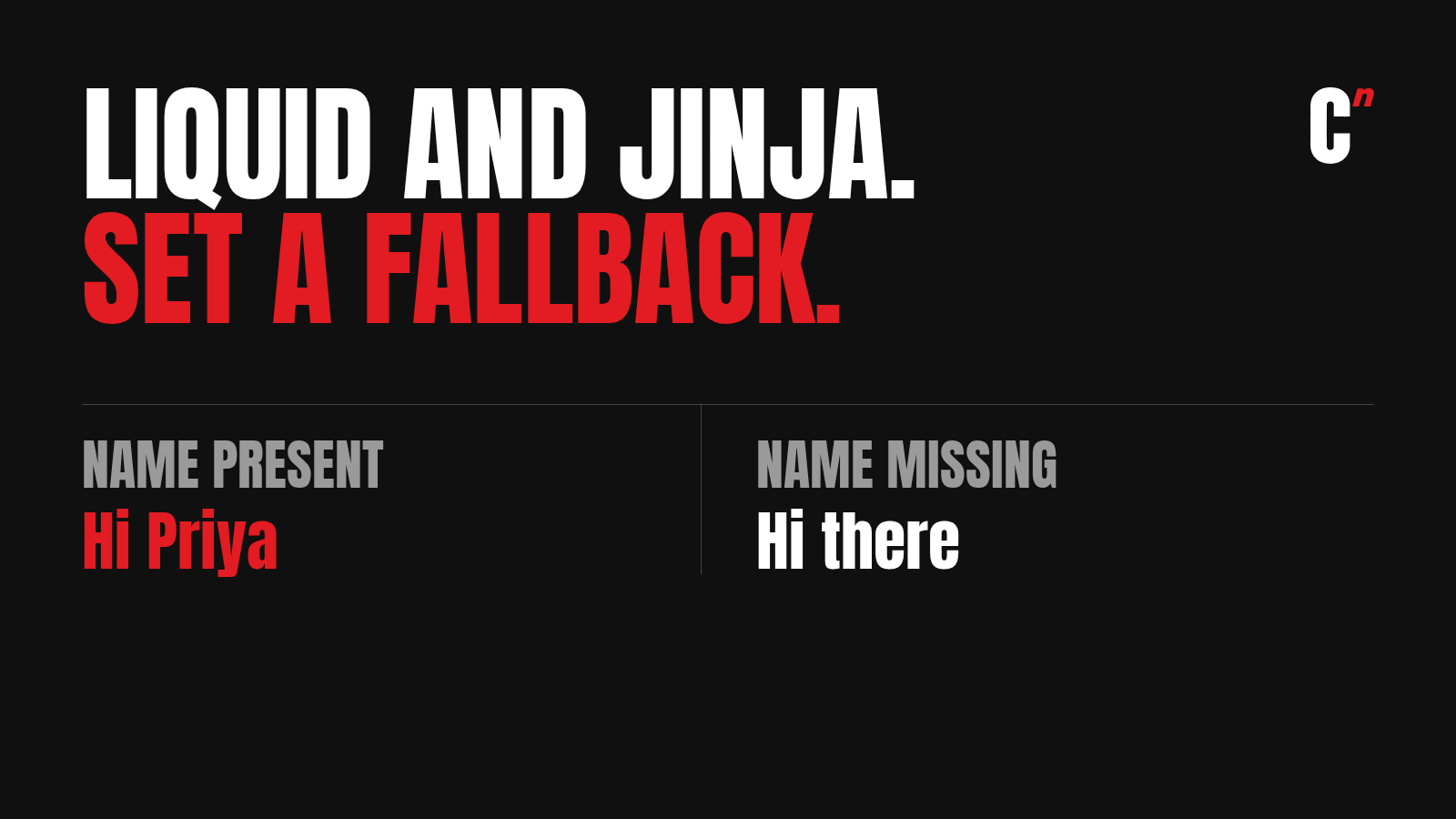
- Use a default. Pick a word that reads well in the sentence. "Hi there" works. "Hi Customer" sounds like a bank.
- Rewrite the line. Use an if/else so people without the data get a sentence written for them, not a sentence with a word swapped.
- Abort the send. Use MoEngage's MOE_NOT_SEND, Braze's abort_message or CleverTap's abort when the message makes no sense without the data, such as a cart reminder with no product.
Names get a default. Product, price and order details get an abort, because "Your is waiting" costs you more than not sending at all.

Aborts also affect your numbers, so read them alongside your control group results.
Clean data at the door, not in the template
Indian names arrive in every shape: all capitals, initials first, a single name, an email typed into the name field. You can patch some of it in the template. This Liquid line trims spaces, fixes capitals and falls back when nothing is left.
Hi {{ first_name | strip | downcase | capitalize | default: 'there' }},
"RAVI" becomes "Ravi", a blank space becomes "there", and an empty field becomes "there". But "sai kiran" becomes "Sai kiran" and "K. Ramesh" becomes "K. ramesh". A template can only do so much.
The better fix is at the point of capture. Put rules on what the form, checkout or API will accept, so values are cleaned on the way in or rejected. We rarely had name problems at Healthify for that reason. Pulling junk data into your CRM in bulk is as good as having no data at all.
Show prices in the Indian format
Liquid has no built-in way to print ₹1,20,234. The easiest fix is to store the price as formatted text in your store or backend and print that. If the number only exists as a number, this Liquid block groups it the Indian way.
{%- assign n = price | round | append: "" -%}
{%- assign len = n | size -%}
{%- if len > 3 -%}
{%- assign restlen = len | minus: 3 -%}
{%- assign rest = n | slice: 0, restlen -%}
{%- assign last3 = n | slice: restlen, 3 -%}
{%- assign out = "" -%}
{%- assign start = restlen | modulo: 2 -%}
{%- if start == 1 -%}{%- assign out = rest | slice: 0, 1 | append: "," -%}{%- endif -%}
{%- assign pairs = restlen | divided_by: 2 -%}
{%- for i in (1..pairs) -%}
{%- assign pos = i | minus: 1 | times: 2 | plus: start -%}
{%- assign pair = rest | slice: pos, 2 -%}
{%- assign out = out | append: pair | append: "," -%}
{%- endfor -%}
{%- assign n = out | append: last3 -%}
{%- endif -%}
₹{{ n }}
It turns 1499.6 into ₹1,500 and 12345678 into ₹1,23,45,678. Swap price for your tool's tag, such as Event.price in CleverTap, and check it in preview before you use it.
WhatsApp template variables need a fallback too
WhatsApp templates use numbered variables like {{1}}, and you map each one to an attribute when you build the campaign. A variable can't be left empty. Braze says a variable that resolves to empty text isn't supported, and Klaviyo tells you to add a default to every variable or the message may fail.
So the default rule matters most here. Map each variable carefully, add a fallback to each one, and keep fallbacks short enough to read naturally. Meta also rejects templates that start or end with a variable. My WhatsApp template approval guide covers the review rules, and Indian SMS has its own {#var#} tags, covered in SMS DLT templates.
How to practise personalization without a job
You can practise most of this without a company login. The free academies and trials are covered in my CleverTap and MoEngage certification guides.
- Write one message in all five syntaxes, with a fallback on every tag.
- Add one condition, such as a loyalty tier or a language.
- Add one abort, and write down why the message shouldn't send without that field.
- In an interview, explain the blank versus empty trap in Braze, and how you'd stop a user ID reaching the name slot. It shows you've thought about real sends.
When you're ready to use this in automations, read flows vs campaigns. Most personalisation lives inside flows, where event data is richest.
Where I fit
I'm Raviraj, founder of Compound Lab, a retention agency for D2C brands and consumer apps. If you're learning CRM, read how to become a CRM marketer, and my MoEngage certification guide covers MoEngage's own training. If you run a brand and want personalisation that goes past the first name, book a 30-minute call.
FAQ
What is Liquid personalization? Liquid personalization is placeholder code, such as {{ first_name }}, that a CRM tool fills in with each customer's data at send time. Braze and CleverTap use Liquid, while MoEngage uses Jinja and Klaviyo uses Django-style tags.
What is the difference between Liquid and Jinja? Both print values with double curly braces and run logic with curly brace and percent sign. The differences a marketer notices are the fallback syntax, default: 'x' in Liquid and default('x') in Jinja, and elsif in Liquid against elif in Jinja.
Does MoEngage use Liquid or Jinja? MoEngage uses Jinja, which it calls the MoEngage Templating Language. User attributes are written as {{UserAttribute['First Name']}}, with the name matching your workspace exactly.
What is a fallback value in personalization? A fallback value is the text a CRM tool shows when the data for a tag is missing, such as "there" when a first name is empty. Every campaign should have one on every tag, because no CRM's data is fully clean.
How do I stop a message from sending if data is missing? Use the tool's abort option. MoEngage uses MOE_NOT_SEND, Braze uses abort_message and CleverTap uses an abort tag inside an if/else block. Klaviyo has no abort tag, so use a flow filter instead.
Can WhatsApp template variables be empty? No. A variable that resolves to empty text can make the send fail, so add a fallback to every variable when you map it to an attribute.
Do I need to know coding to use Liquid personalization? No. You need to read and edit simple tags, defaults and if/else blocks, which you can learn in a few evenings of practice on a free plan.
Worried a blank tag or the wrong attribute will reach your customers? Book a 30-minute call.