How to Learn CRM Tools · For freshers new to CRM platforms
Learn how MoEngage, CleverTap and Braze work, without a company login
56 CRM concepts explained once in plain English, then shown in MoEngage, CleverTap, WebEngage, Netcore, Braze and Klaviyo. Even if you’ve never had a login to any of them.
Free for the first 100 learners
One honest review in return. ₹349 after that.
of 100 places left · learners already in
No payment, no card. The folder link arrives by email in a minute.
- 41-page PDF guide
- Self-study: learn at your own pace
- Every tool term checked against its docs, October 2026

Raviraj Ramavarapu
Founder, Compound Lab · 7 years in D2C and app marketing, most in CRM · has hired for CRM roles
“I built this from the work I do every day for brands. Practise it here before you do it on the job.”
- +79%revenue from lapsed usersHealthify
- 23% to 44%WhatsApp delivery in a monthCumin Co
- 77%of CRM revenue from automationsPNG Jewellers
- 39%of store revenue from CRMHealthify Store
- +43%return pickupsMyGate
- ₹27.6 Crrun-rate across Healthify, PNG Jewellers and DS MillRetention I’ve run









Who it’s for
It’s for you, even if you’ve never had a login
- Never had a CRM loginEvery concept comes with an example from a practice brand. No login needed.
- Not sure which tool to learnCount the tools your target job posts name, then read that column first.
- Not from a tech backgroundWords like SDK and API get a plain definition and an example.
- Tutorials leave you confusedThey use one tool’s names. This teaches the idea first, then each tool’s word.
- Short on timeNew to CRM? The big picture and all 11 layers take about two hours.
Built for marketing CRM tools, the ones that send WhatsApp, email, SMS and push. If you need Salesforce or sales pipeline software, or advice on which tool to buy, skip this one.
What you walk in with
Eight things you’ll be able to do in any CRM tool
- Follow a demo of any of six toolsLearn 16 names once and MoEngage, CleverTap or Braze read the same.
- Speak the interviewer’s tool languageIf they use MoEngage, you say “flow”, not “journey”.
- Read job posts without the panicA tool you’ve never opened is the same parts under new names.
- Know what data the tool runs onWho each person is, what they did, and how that data gets in.
- Plan a journey that stops on timeAdd the exit, so buyers don’t get “you left something behind”.
- Dodge the ten words that trip people“DND”, “campaign”, “flow”: one word, different meanings by tool.
- Quote results people can trustKnow why one message shows different sales in each tool.
- Practise on a real tool, no job neededSee which free plans let you in, and a two-week plan to use them.
Try one term
What is it really?
From page 5 · Same ideas, different names
MoEngage and Klaviyo call it a Flow. CleverTap and WebEngage call it a Journey. Braze calls it a Canvas. What is it?
Five tools, three names, one idea.
Pick the plain meaning.
That’s path analysis. CleverTap calls that report “Flows”, which is exactly the mix-up the kit warns you about.
That’s it: a journey. Flow, Journey and Canvas all mean this same thing.
That’s a campaign. It sends one message, with no waits or branches of its own.
Why it matters
Tutorials and job posts each use one tool’s words. If you know the idea underneath, a demo of any tool makes sense, and you can use the company’s own word in the interview.
The kit’s version
“An automated, multi-step path that messages each person based on what they do, with waits and branches.”
That’s one page of the kit. See it as it is:
The two-week practice plan
Practise on a real tool this week
Most CRM tools sell to companies, not people. The kit shows which ones let you in on your own, and gives you a day-by-day plan to build something you can show.
What you get
- Which tools have a free plan or trial you can join alone
- A day-by-day plan: test contacts, customer groups, then a welcome flow
- A one-page case to write up and show in interviews
- How to talk about it honestly, in the interviewer’s tool words
Look inside
Real pages from the kit
The big picture: seven steps from an app tap to a sale
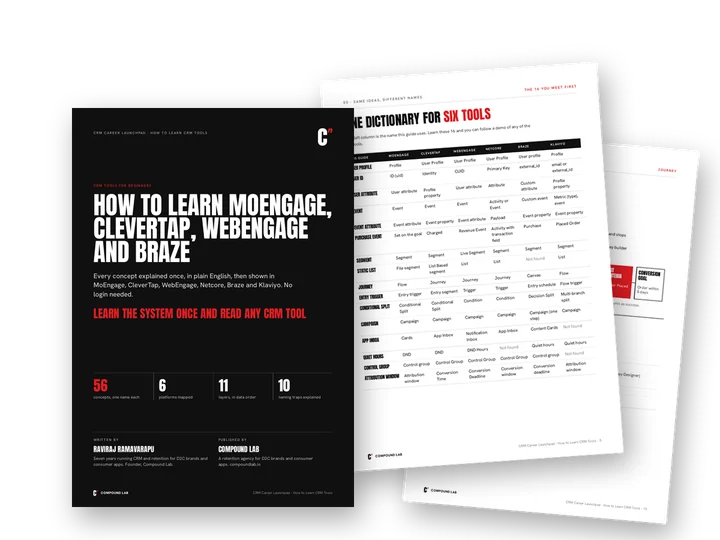
One dictionary for six tools: 16 terms side by side
Who the customer is: profile facts versus actions
A cart journey, part by part, with each tool’s name
The five checks before any message goes out
Why the same message reports different sales in each tool
Ten words that mean different things in different tools
Free plans, trials and a two-week practice plan
What’s in the folder
One guide, six tools
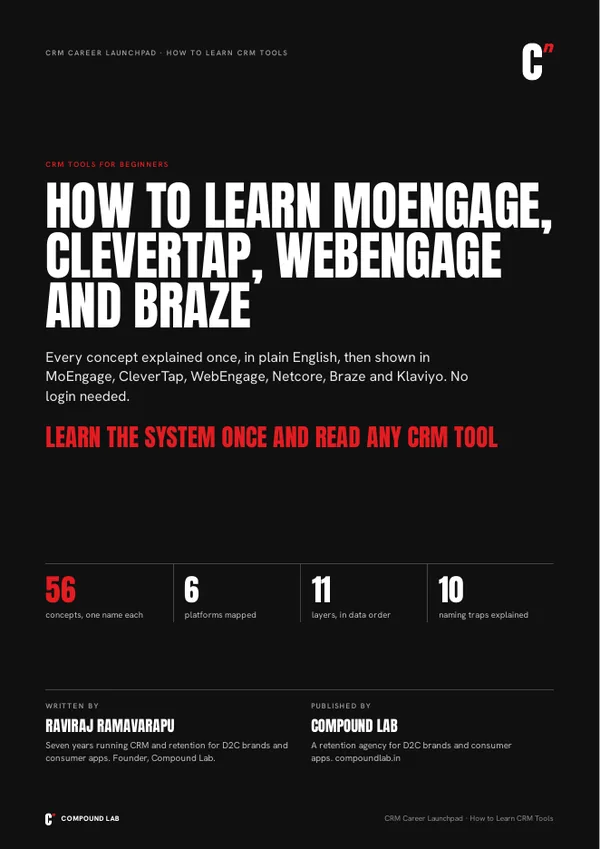
PDF · 41 pages
The guide
56 concepts in plain English, what six tools call each one, ten naming traps, a two-week practice plan and an index to look up any tool’s term.
One PDF. It opens on any phone or laptop.
The founding batch
Free for the first 100, for one honest review
- Get it freeName, email, WhatsApp. The link arrives by email in a minute.
- Use it for a weekTwo layers a day, then open a free account.
- Tell me honestlyFour short questions. Good or bad.
After the founding batch, the CRM Tools Guide sells for ₹349.
Questions, answered
I’ve never used any CRM tool. Will this make sense?
Yes. It’s written for people who have never had a login. Each concept gets a plain definition, an example from one practice brand and what each tool calls it.
How long does it take?
About two hours for the big picture and all 11 layers if you’re new. If your interview is soon, start with the “Same ideas, different names” table and the ten naming traps.
MoEngage or CleverTap: which should I learn first?
Look at five CRM job posts you want and count which tool they name most. Read that tool’s column first. The parts are the same in every tool, only the names change.
Can I practise on MoEngage without working at a company?
When the kit was checked in October 2026, it found no self-serve trial for MoEngage, WebEngage or Netcore, only demos on request. Klaviyo’s free plan and CleverTap’s 30-day trial were open to individuals, and the kit gives you a two-week plan to use them. Offers change, so check before you sign up.
Is this made by MoEngage, CleverTap or the other tools?
No. Compound Lab is a retention agency and isn’t linked to, or endorsed by, any of these companies. Tools rename features often, so check the live docs before quoting a term in writing.
Is this the same as Salesforce CRM?
No. This is marketing CRM: the tools that send WhatsApp, email, SMS and push to customers. Sales pipeline software like Salesforce isn’t covered.
What do I get, and in what format?
One 41-page PDF: the big picture, 56 concepts in 11 layers, the ten naming traps, a two-week practice plan and a tool term index. The link arrives by email.
Do I get a certificate?
Not from this kit. If you want one, the kit lists the free courses: CleverTap University offers free certificates (non-customers apply first), and Braze’s courses are free but its exams are paid.
Why is it free right now?
The first 100 learners get it free as the founding batch, in return for one honest review after a week. After that it sells for ₹349.
How to Learn CRM Tools
Fill in your target tool’s 16 names tonight
Free for the first 100 learners
One honest review in return. ₹349 after that.
of 100 places left · learners already in
No payment, no card. The folder link arrives by email in a minute.
 CRM Career Launchpad
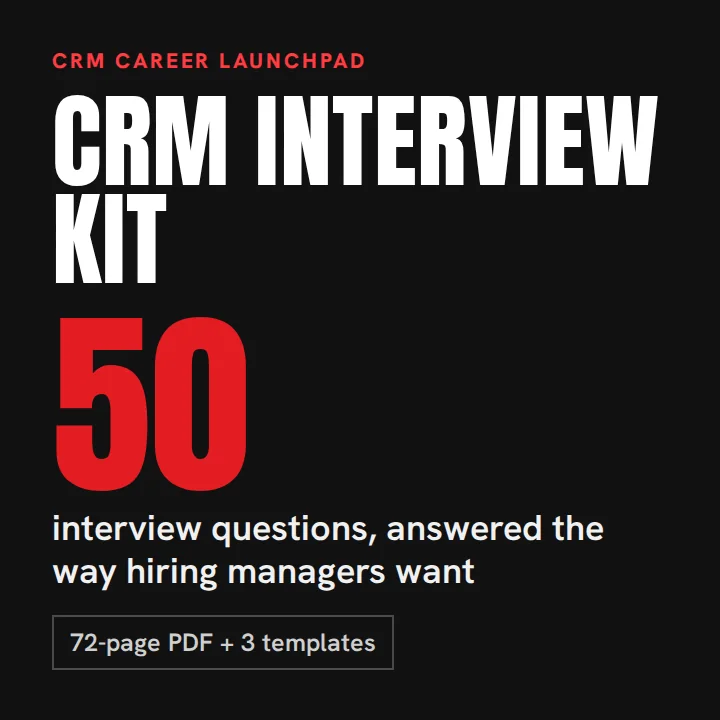 CRM Interview Kit
 CV, LinkedIn and Portfolio Kit
 CRM Practice Projects
 Journey Blueprints
 The Message Museum
 CRM Analyst Workbook
 The CRM Prompt Pack
 CRM Glossary