CleverTap Review and Pricing: Pros and Cons (2026)
An honest CleverTap review from an operator who ran it at Healthify and MyGate: daily use, features, pricing, pros, cons and what frustrated us.
Updated October 2026.
Best for: app-led consumer businesses that collect rich data about their users and have an experienced CRM person to run it.
Not for: Shopify-first D2C brands, or teams hoping the vendor will build their journeys for them.
Bottom line: CleverTap is a powerful app platform. Its user profiles and in-app tracking let you target and measure with real precision. But you get out what your team puts in. Expect to learn it yourself, because the support may not keep up with you.
I've run CleverTap at Healthify, an app with over 4 crore users, and at MyGate.
CleverTap features and plans
The table below is based on what CleverTap publishes, as of October 2026. Its current plans are Core, Pro and Ultimate. Its documentation and AWS listing still use the older names, Essentials, Advanced and Cutting Edge.
| Area | What you get | Where it sits |
|---|---|---|
| Channels | Push, in-app messages, App Inbox, web push and SMS | Core plan and up |
| Through your own BSP (WhatsApp Connect) or CleverTap as BSP (WhatsApp Direct) | Paid add-on | |
| CleverTap's own email service | Add-on on the entry plan | |
| Push delivery | RenderMax, which lifts how often pushes actually show on Android phones from brands like Xiaomi, Vivo and Oppo | Offered to all customers at no extra cost at launch |
| Analytics | Funnels, cohorts, events, trends and user profiles | Core plan and up |
| Advanced analytics | Pivots, flows and advanced cohorts | Add-on |
| Segmentation | Behavioural segments, with RFM analysis | RFM is an add-on on Core |
| Ad channels | Facebook audiences and Google Ads | Add-on on Core |
| AI | IntelliNode journey optimisation, predictions and product recommendations | Higher plans, not Core |
| AI copy | Scribe, an AI content assistant, first launched for enterprise customers in 2023 | Part of CleverAI |
| App changes without releases | Product Experiences | Separate product |
| In-app calling | Signed Call, voice calls without sharing numbers | Separate product |
Sources: CleverTap's pricing page, add-ons documentation, RenderMax launch and Scribe launch. Plan contents change, so confirm yours on a call.
What CleverTap is like to use every day
At Healthify, my day on CleverTap followed the same order.
First, daily active users, and whether they were up, down or steady. Then the in-app funnels, surface by surface, with impressions, clicks and leads, day on day. When a surface's click-through rate started sliding, that was my cue to refresh its creative before it went stale. Then push notifications, with impressions, delivery and conversions from the previous day.

That routine is CleverTap at its best. Because every app event fed into it, I could see each placement earning or losing its keep, and act the same day. The results of that work are in the Healthify in-app funnels case study.
For monthly reviews, I exported the numbers and rebuilt them in a cleaner format. The dashboards were built for daily checking, not for presenting to leadership.
CleverTap's strength: user profiles and precise targeting
Every user in CleverTap has a profile, and you can add your own properties to it. At Healthify, we stored what users told us during onboarding, such as age, BMI and city, straight onto their profiles.
That changed two things. Our push copy could use those details as variables, so messages felt written for the person reading them. And our targeting could get very specific. If I wanted users with a BMI of 26 who were 27 years old, in a particular city or state, I could build that segment and send to it. We used the same idea at a bigger scale in a win-back campaign that lifted revenue 79%, where each message was built from the user's own history.

At MyGate, the experience was different. We worked from a set of pre-made segments, like every housing society in Bengaluru, with little room to slice further. Same platform, much less precision.
The lesson is that CleverTap's targeting is only as deep as the data you send it and how your account is set up. Plan your user properties before you integrate, not after.
CleverTap's drawbacks: what frustrated us
Countdown timer pushes. We used timer templates for sale notifications, and they never looked good. When we asked our point of contact how to improve them, we were sent to the developer documentation to work it out ourselves. Nobody sat with us, tested a version and showed us what good looked like. A tool people enjoy using is a tool they keep using, and this was a missed chance.
Support that knew less than we did. Our point of contact changed several times. Across all of them, we never once finished a journey request on a single call. Our asks were straightforward, but the answer was always "we'll get back to you." In the end, we built the journeys ourselves, which cost us time on every launch.
It takes an expert to get the most from it. Slicing campaign data in detail is hard for anyone new to app retention. Budget for an experienced person, or a partner, to run it. I've covered what each option costs in who should run retention.
Two other issues are covered in my comparisons. WhatsApp is a paid add-on, which I priced out in CleverTap vs MoEngage, and our Shopify store events didn't fire reliably, which I described in CleverTap vs WebEngage.
CleverTap pricing
CleverTap is one of the few platforms in its class with a public entry price. Its pricing page lists the Core plan from $85, or roughly ₹7,000, a month for up to 5,000 monthly active users, with a 30-day free trial. Its AWS Marketplace listing, under the older Essentials name, shows $75 a month for 5,000 users, $250 for 20,000 and $500 for 40,000. Pro and Ultimate are quoted custom.
Add-ons are where the bill grows. CleverTap's startup plan page puts most of them at 10 to 20% of your base plan, and WhatsApp, advanced analytics and email are all add-ons on the entry plan. Price the plan you'll actually need in a year, not the one you start on, and check it against what a customer is worth to you with the customer lifetime value calculator.
Questions to ask CleverTap before you sign
- Will we keep the same named point of contact? Changes mean starting over each time.
- Will you build one of our journeys with us on a call? Ask for this during the trial, not after.
- Can you show us a polished countdown timer push? If templates matter to you, see a good one first.
- Which user properties should we send at integration? Your targeting depends on this decision.
- What will WhatsApp, email and advanced analytics cost us, line by line?
Free checklistEvery question to ask before you sign, for all four platforms, in one fillable PDF. Get the free checklist
CleverTap alternatives
For apps, CleverTap's closest rival is MoEngage, and the deciding factor is usually WhatsApp. See CleverTap vs MoEngage. If you run a website or a Shopify store as well as an app, see CleverTap vs WebEngage. If you're a Shopify brand starting out, a WhatsApp-first tool is usually the better fit, which I cover in Kwik Engage vs WebEngage. If you're still narrowing the field, start with the guide to choosing a CRM platform.
Learning CleverTap for a CRM job rather than buying it? My CleverTap certification guide covers the free training, how to get in and what hiring managers look for beyond the badge.
Where I fit
Most of what frustrated us on CleverTap was the gap between what the platform can do and the help available to get there. Compound Lab is a retention agency, and closing that gap is the job: planning your user properties, building your journeys and making your push look good. Book a 30-minute call and we'll look at your CleverTap setup together.
FAQ
What is CleverTap used for? Brands and apps use CleverTap to track what users do, group them into segments and send push notifications, in-app messages, WhatsApp, SMS and email based on that behaviour. At Healthify and MyGate, we used it mainly for in-app funnels and cross-sell journeys.
Is CleverTap a CRM tool? Not in the sales sense, since it doesn't manage leads and deals. It's a customer engagement platform, which is what app and D2C teams usually mean by a CRM tool: the place where you segment customers and message them across channels. My CDP vs CEP vs CRM guide explains the difference.
Is CleverTap an Indian company? It started in India. CleverTap was founded in 2013 by Sunil Thomas, Suresh Kondamudi and Anand Jain, who had worked together at Network18, and it is now headquartered in San Francisco with teams in India.
Is CleverTap good? For app-led businesses, yes. Its user profiles, in-app tracking and segmentation are strong. It's less suited to Shopify-first brands, and it needs an experienced person to get the most from it.
How much does CleverTap cost? As of October 2026, the Core plan starts at $85 a month for up to 5,000 monthly active users, with a 30-day trial. Pro and Ultimate are custom. Add-ons such as WhatsApp, email and advanced analytics cost extra on the entry plan.
What are CleverTap's pros and cons? Pros are rich user profiles, precise targeting, clear in-app funnels and a public entry price. Cons are support that may not match your team's expertise, templates that are hard to make look good, and paid add-ons for key channels.
Is CleverTap good for D2C ecommerce? It's built for apps. If your business is mainly a Shopify store, a WhatsApp-first tool or a web-first platform is usually a better fit.
Is CleverTap hard to use? The daily dashboards are easy. Detailed campaign analysis and complex journeys take experience, and many brands hire for it.
What are the best CleverTap alternatives? For apps, MoEngage is the closest alternative. For web and D2C brands, WebEngage. For a Shopify brand starting out, a WhatsApp-first tool like Kwik Engage.
Running CleverTap and not getting what you paid for? Book a 30-minute call.
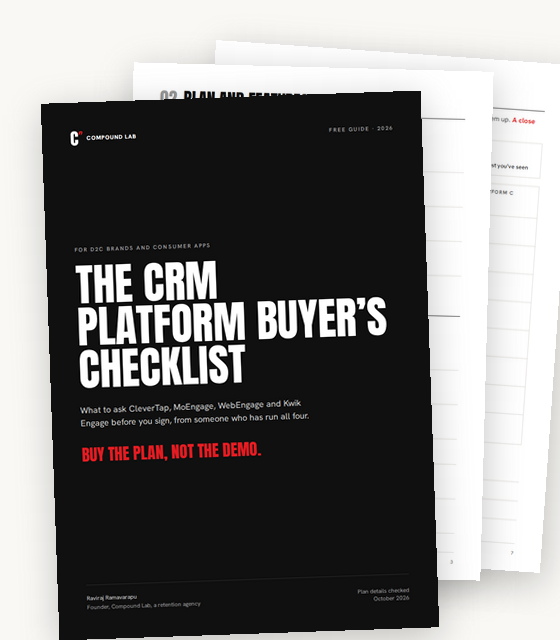
Free checklist
Buy the plan, not the demo.
The CRM platform buyer’s checklist. Every question to ask CleverTap, MoEngage, WebEngage and Kwik Engage before you sign, in one PDF.
- Questions on plans, pricing, data, delivery, support and leaving
- A page of questions for each of the four platforms
- A scorecard to compare your shortlist side by side
Sent. Check your inbox.
The checklist is on its way to .